Website monitoring, simplified.

Website Monitoring
for Faster, More Reliable Digital Experiences

AYALR monitors uptime, performance, Core Web Vitals, technical SEO and real-user experience so you can fix issues before visitors notice.

Website monitoring capabilities

Real-time Monitoring

Track uptime, performance and key metrics 24/7.

Reliable Alerts

Get instant notifications when issues impact your site.

Global Test Coverage

Test from multiple locations around the world.

Actionable Insights

Clear reports and trends to help you make data-driven decisions.

Secure & Private
GDPR Compliant
Results in Seconds
24/7

Uptime, performance and SEO
in one monitoring workspace.

No credit card required.
Start monitoring in seconds.

Test your site for FREE

No credit card required. Get results in moments.

Secure
& Private
GDPR
Compliant
Results in
Seconds
AYALR Core Web Vitals and synthetic performance report

Synthetic Website Testing

Test critical website journeys with real browsers and turn results into comprehensive, actionable reports. Explore JourneyGuard synthetic monitoring.

Configurable alerts help you find website problems before they affect customers.

AYALR WebTools integrates established performance tooling and its own monitoring capabilities:

  • Lighthouse
  • Core Vitals
  • Our own tool set


AYALR technical SEO crawler report showing website issues

Technical SEO Crawling

Schedule complete website crawls and detect search issues before they become regressions. Explore the AYALR SEO Crawler.

Improve your website with an SEO crawler that provides:
  • Deep crawl analysis across your entire site
  • Identification of critical SEO issues
  • Optimization of internal linking and structure
  • Detection of duplicate and missing metadata
  • Actionable insights powered by our own technology


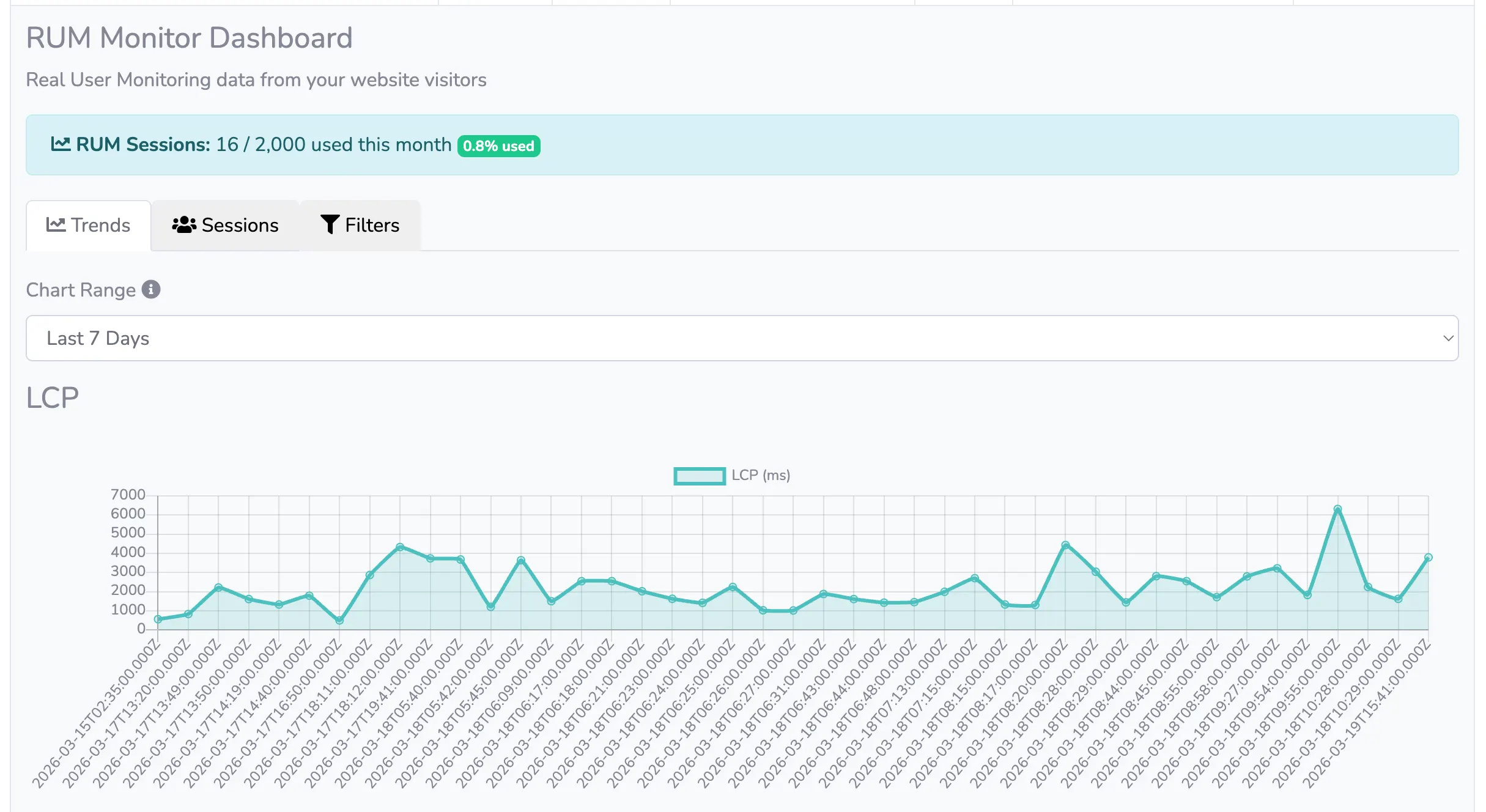
AYALR real-user and server monitoring dashboard

Website and Server Monitoring

Use six complementary monitor types to understand website availability, user experience and infrastructure health.

  • PING Uptime Monitoring
  • SSL Monitoring
  • Page Load monitoring
  • Domain DNS Monitoring
  • RUM - Real User Monitoring
  • Server CPU/Memory/Disk/Bandwidth Monitoring


Pricing

Flexible pricing with plans that suit your needs.

AYALR webtools provides a lifetime FREE service tier.

🆓 Free

€0/month
Free

For hobby projects, developers, and evaluation

1 website

2 URLs per site

1 test location

70 Lab tests / month

(Daily default runs)


1 SEO crawler

5 ad-hoc crawl requests

500 url crawl limit


3 Monitors from:

RUM (2,000 sessions/month)

SSL monitoring

DNS monitoring

Ping monitoring

Website monitoring 1/hour

Server monitoring


JourneyGuard NEW

1 synthetic journeys

Runs every 24 Hours

70 ad-hoc runs / month

Screenshots, traces & HAR

CI/CD trigger (API)


1 public status page

Email alerts only

7-day data retention

5k API Access


🟢 Starter

€25/month
€250/year (2 months free)

For freelancers
& small businesses

2 websites

3 URLs per site

1 test location

200 Lab tests / month

(Daily default runs)


2 SEO crawlers

12 ad-hoc crawl requests

2000 url crawl limit


6 Monitors from:

RUM (50,000 sessions/month)

SSL monitoring

DNS monitoring

Ping monitoring

Website monitoring 1/ 30 min

Server monitoring


JourneyGuard NEW

20 synthetic journeys

Runs every 12 Hours

200 ad-hoc runs / month

Screenshots, traces & HAR

CI/CD trigger (API)


2 public status page

Email & Slack Alerts

30-day data retention

150k API Access


🔵 Growth ⭐

€45/month
€450/year (2 months free)

For serious websites and small agencies

2 websites

5 URLs per site

5 test locations

7500 Lab tests / month

(Hourly default runs)


2 SEO crawlers

60 ad-hoc crawl requests

2000 url crawl limit


10 Monitors from:

RUM (150,000 sessions/month)

SSL monitoring

DNS monitoring

Ping monitoring

Website monitoring 1/ 1 min

Server monitoring


JourneyGuard NEW

200 synthetic journeys

Runs every 6 Hours

5000 ad-hoc runs / month

Screenshots, traces & HAR

CI/CD trigger (API)


2 public status page

Email & Slack Alerts

180-day data retention

600k API Access

30 SMS alerts

🟣 Scale

Coming Soon!

Free Tier email test reports and dashboard might contain ads.

For further information and queries, please drop us an email on [email protected]

Frequently Asked Questions

What does SEO crawling do?

SEO crawling analyzes your website by visiting pages, following links, and detecting issues that can affect search engine rankings. It identifies broken links, redirects, meta tag errors, and canonical issues to help optimize your site for search engines.

How often should I crawl my site?

Frequency depends on site size and update rate. Small sites may need weekly crawls, while larger or dynamic sites benefit from daily scans. Regular crawling ensures SEO issues are detected promptly.

Can I track historical SEO performance?

Yes. The tool stores past crawl reports, allowing comparisons over time. This helps monitor improvements or regressions in your site's SEO health.

How do canonical issues affect my site?

Canonical issues can cause duplicate content penalties and reduce your pages’ ranking. Identifying and fixing them ensures search engines index the preferred URL.

Does the crawler respect robots.txt?

Yes. The crawler reads robots.txt directives and obeys disallow rules. This ensures compliance while testing your site's SEO setup.

How does Lighthouse integration help my site?

Lighthouse evaluates performance, accessibility, SEO, best practices, and Progressive Web App compliance. It provides scores and recommendations to improve page load, user experience, and search engine performance.

What metrics are included in performance scoring?

Metrics include First Contentful Paint, Largest Contentful Paint, Cumulative Layout Shift, Total Blocking Time, and Speed Index. These help pinpoint performance bottlenecks affecting user experience.

Can I test mobile and desktop performance?

Yes. Lighthouse simulates both mobile and desktop environments, providing separate scores for each to ensure optimized experiences across devices. Furthermore AYALR webtools offers pre set device settings and custom ones too.

Can Lighthouse detect accessibility issues?

Yes. Lighthouse checks color contrast, ARIA attributes, semantic HTML, and other accessibility best practices to help make your site usable for all users.

How can I use Lighthouse reports to improve my site?

Lighthouse provides detailed recommendations and scoring breakdowns. Implementing these suggestions helps improve load speed, interactivity, and overall user experience.

What does uptime monitoring do?

Uptime monitoring checks if your website is reachable. It alerts you instantly when downtime occurs, helping you minimize service disruption.

How are SSL and DNS monitored?

SSL monitoring checks certificate validity, expiration, and proper configuration. DNS monitoring ensures correct resolution and highlights potential misconfigurations.

Can I get notifications for downtime?

Yes. Our tool sends alerts via email, SMS, or webhooks whenever an outage is detected, helping you respond quickly to issues.

Does monitoring include ping and latency checks?

Yes. Ping and latency checks help measure server responsiveness and detect network issues that can affect user experience.

How frequently are checks performed?

Checks can be scheduled from every minute to hourly depending on your plan. Frequent checks ensure rapid detection and resolution of issues.

How are alerts triggered?

Alerts are triggered when predefined thresholds are exceeded, such as downtime, SSL expiration, or slow page load times. Immediate notifications help you react quickly.

Can I customize alert channels?

Yes. Alerts can be sent through configured channels including email, SMS and webhooks to match your team’s workflow.

Are alerts actionable?

Each alert includes detailed information about the issue, including affected pages, metrics, and suggested remediation steps, enabling prompt and effective action.

Can I silence alerts temporarily?

Yes. You can set maintenance windows or temporarily mute notifications during updates or known downtime periods, avoiding unnecessary alert noise.

Can I track alert history?

Yes. The system logs all triggered alerts with timestamps and details. Tracking history helps identify recurring issues and improve long-term reliability.

Contact AYALR WebTools

Questions about monitoring your website? We’re here to help.

Email [email protected] to discuss website monitoring, technical SEO or performance testing.